Forestry Export & Weighbridge Case Study
A port management system for Australian forestry companies, built in 2012 and still running, receiving weighbridge ticket data since 2015
The Short Version
Since 2012 we have built and looked after a forestry export and woodchip port management system for Australian forestry companies. It covers deliveries in, stockpiles, shipments out and the records behind them. Since 2015 it has received ticket data from the weighbridge system as each ticket is issued, so each delivery is recorded as the truck is weighed, and executive reporting dashboards give managers a current view of the operation. It is still running, and still looked after by the same people.
This is our longest-running work, and much of how we approach every project comes from it: record things once, where they happen, and build for the conditions the business actually works in.
The clients stay anonymous, so this page has no names and no figures. What it does have is an honest account of what was built, how the weighbridge ticket link works, and why the system has lasted.
The Situation
An export port sits in the middle of a lot of moving parts. The system had to keep track of all of them.
- Deliveries arriving by truck, each one weighed and each one needing to be recorded against the right supplier, product and contract
- Stockpiles at the port that have to be known, not estimated, before a ship arrives
- Shipments going out, with paperwork that has to match what was actually loaded
- Quality checks that need to be tracked along the way, not kept in a separate file
- Records behind all of it that growers, contractors, customers and auditors can check
- Managers who need a current view of the operation, not a report that turns up after month end
In most forestry businesses the weighbridge is the most accurate system on site. Every truck is weighed and every docket is right. The trouble usually starts after that, when the same load has to be typed again for contractor and grower payments, again for the stockpile, again for the shipping paperwork and again for the month-end report. Each retype is another chance for a wrong figure, and the error turns up later as a payment dispute or a stock count that does not add up.
What We Built
One system for the port, from the truck arriving to the ship leaving.
Deliveries in
Every truck that arrives is recorded once, with the details the rest of the business needs: who supplied it, what it is and where it came from.
Stockpiles
Stock at the port builds up as deliveries arrive and comes down as shipments are loaded, so the figure is current rather than worked out by hand before each vessel.
Shipments out
Outbound shipments are tied back to the stock and deliveries behind them, so the export paperwork matches what went on the ship.
Quality checks
Quality checks are tracked along the way and stay attached to the loads they relate to, instead of living in a separate spreadsheet.
The records behind them
One set of records that payments, invoicing, compliance and reporting all draw on, so a query is answered by looking up the load.
Built around the operation
A custom system, shaped around the way an export port actually works, rather than an off-the-shelf package bent to fit.
How the Weighbridge Ticket Link Works
In 2015 the export system began receiving ticket data from the weighbridge system. The weighing itself, and the certified weighbridge software, stayed exactly as they were. Before a link like this, a delivery exists on a printed docket until someone gets around to typing it in. After it, the delivery is in the system the moment the truck is weighed, already attached to the right supplier, product and load.
That one change is what makes everything else work. Stockpiles are current because deliveries arrive in real time. Payments can be worked out from records that were never retyped. Reports show what is happening today, not what happened when the paperwork caught up.
Weighbridges also sit where connections are not always reliable. When the connection drops, deliveries keep being recorded, and the link catches up once it is back, with checks so a load is not missed or counted twice.
Typed In Later vs Recorded at the Weighbridge
| Docket typed in later | Weighbridge ticket link | |
|---|---|---|
| When a load is recorded | Later, when someone gets to the docket | As the truck is weighed |
| How many times it is typed | Once for each system that needs it | Never: it is captured at the weighbridge |
| Stockpile figure | Worked out by hand, often just before a ship | Current, because it updates as loads arrive and leave |
| A contractor or grower query | A search through dockets and files | Look up the load and its history |
| When the connection drops | Paper keeps piling up | Recording carries on and the link catches up |
| Management reporting | Assembled after month end | A dashboard built from the same records |
The Technical Side
For whoever looks after the systems in your business.
- The weighbridge stays the record of the weight. The link reads each issued ticket from the weighbridge system and passes it on. It never touches the weighing and never edits gross, tare or net weights. Corrections happen at the weighbridge, with its own audit trail, and flow through from there.
- Captured as the truck is weighed. Tickets are picked up in real time and matched to the right supplier, product and load in the export system, rather than imported in batches at the end of the day.
- Built to survive dropouts. If the connection between a weighbridge site and the export system drops, recording carries on and the link catches up when it returns. Checks on the way in stop a ticket being missed or loaded twice.
- One set of records underneath. Deliveries, stockpiles, shipments and quality checks share the same records, so reporting does not need a separate spreadsheet that has to be reconciled.
- Reporting on the same data. The executive dashboards are built in Power BI on SQL Server, from the same delivery and shipping records the operation runs on.
More on how we use weighbridge ticket data and other site records: weighbridge integration.
Reporting Managers Can Use
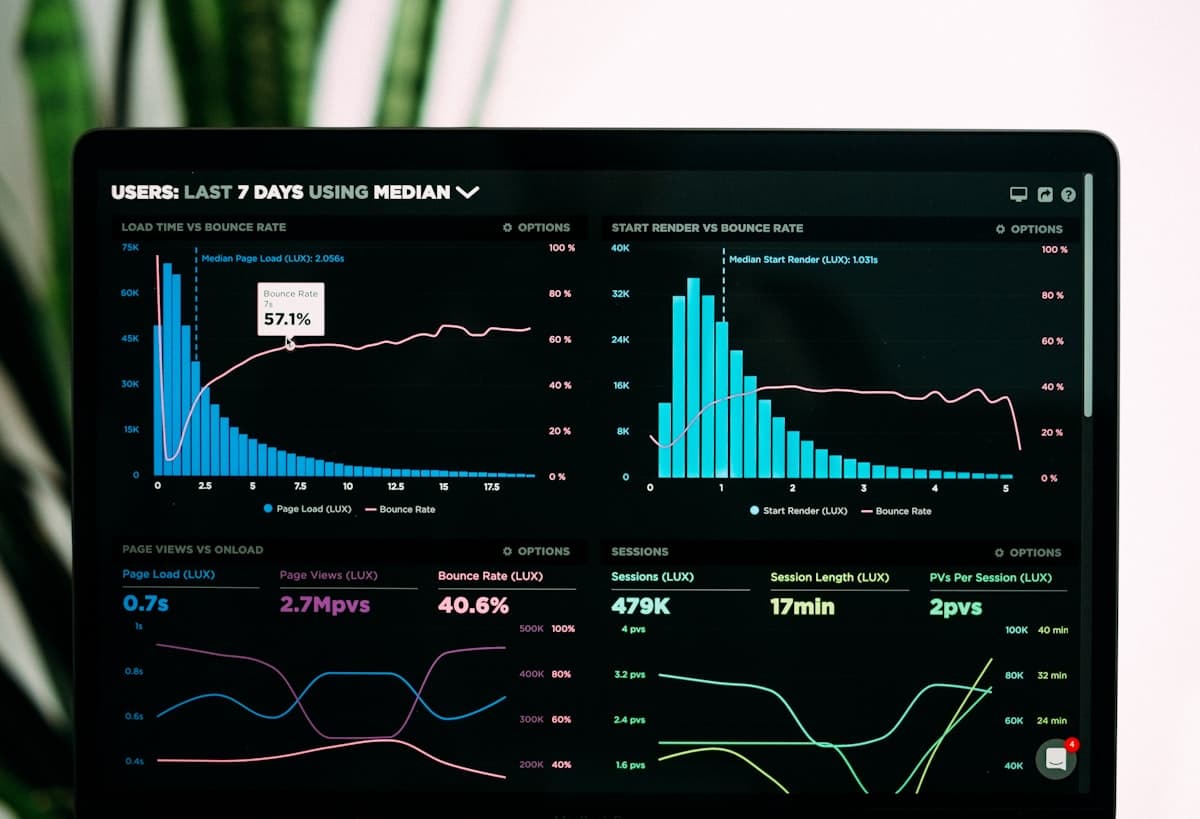
Once deliveries, stock and shipments are recorded as they happen, reporting stops being a monthly project. We built executive reporting dashboards that give forestry managers a current view of operations, drawn from the same delivery and shipping records the port runs on.
Because the dashboards and the operation share one set of records, the numbers on the screen are the numbers the business works with. Nobody has to explain why the report and the stockpile disagree.
The same idea works in any business: get the records right at the source and good reporting follows. See business intelligence and reporting.
What Has Kept It Running Since 2012
Plenty of systems are built well. Fewer are still running, and still trusted, more than ten years later.
The same people, start to finish
The people who built the system in 2012 still look after it. Nobody has to rediscover why something was done a certain way, and nothing is lost in a handover between providers.
Built in stages, each one useful
The port system has run since 2012 and the weighbridge ticket link since 2015. Reporting dashboards were built on top of the same records, so everyone works from one set of figures.
Built for the real conditions
Weighbridges sit at sites where connections drop. The link was designed for that from the start, which is a large part of why it has kept running.
Changed as the business changed
A system that runs for more than a decade has to keep up with the operation it serves. Long-term support from the people who built it means any change is made by someone who already knows the system.
Kenomont is a business systems consultancy founded by Aaron Chambers, with 20+ years of experience. We work with businesses across Australia remotely and travel to site when a project needs it.
Lessons for Anyone Weighing or Counting Goods
You do not need to run a port for this to apply. If goods are weighed, counted or measured on the way in or out, the same lessons hold.
- Record it once, where it happens. The scale, the gate or the warehouse scanner is usually the most accurate point in the business. Everything else should draw from it, not retype it.
- Keep what already works. A weighbridge, scale or scanner that records accurately rarely needs replacing. What is usually missing is the link between the records it produces and everything else.
- Plan for the bad day. Connections drop at remote sites, yards and depots. A link that stops when the internet stops will be blamed for every missing load.
- Get the records right before the reports. Dashboards are only as good as the records underneath them.
- Think about who will look after it. The cost of a system includes the years after it goes live. Choose people who will still be there.
When You May Not Need Us
- If your weighbridge software already exports cleanly to your accounts and your team is comfortable with the checking, the built-in export may be all you need.
- If a package you already pay for covers your deliveries, stock and payments, it is usually better to set that up properly than to build around it. We can tell you if that is the case.
- If the problem is the scales themselves (calibration, hardware faults, a new weighbridge), that is a job for your weighbridge supplier.
Where the problem sits between systems, or the software you have does not fit the way your operation works, that is where we help. We start with how the work actually flows, then connect what you have (including Xero or MYOB) and build only what is missing, as custom software where nothing off the shelf fits. Every project is scoped and given a fixed quote after a free initial chat. If you are not sure yet what to fix, our $5,000 Process & Systems Audit maps your processes and systems and gives you a written report.
Common Questions
Related: forestry and timber systems, weighbridge integration, grower payments and more of our work.
Weighing or Counting Goods?
Tell us how loads are recorded today and where the figures get typed again. We'll tell you honestly whether a link like this would help, and what it would take.
Free initial chat. No sales pressure - if we're not the right fit, we'll say so.
Prefer to talk? Call 1300 470 091
Got a spec or files? Email [email protected]